Last Revised: May 12, 2026
Community Data Shares
Community Data Shares allow data to be shared with users of a Community and offer the same flexibility and granularity as individual Data Shares.
Warning
Certain Hub Organisation Types are not permitted to view Voyage Logs, and Community Data Shares cannot override this.
Create the Data Share
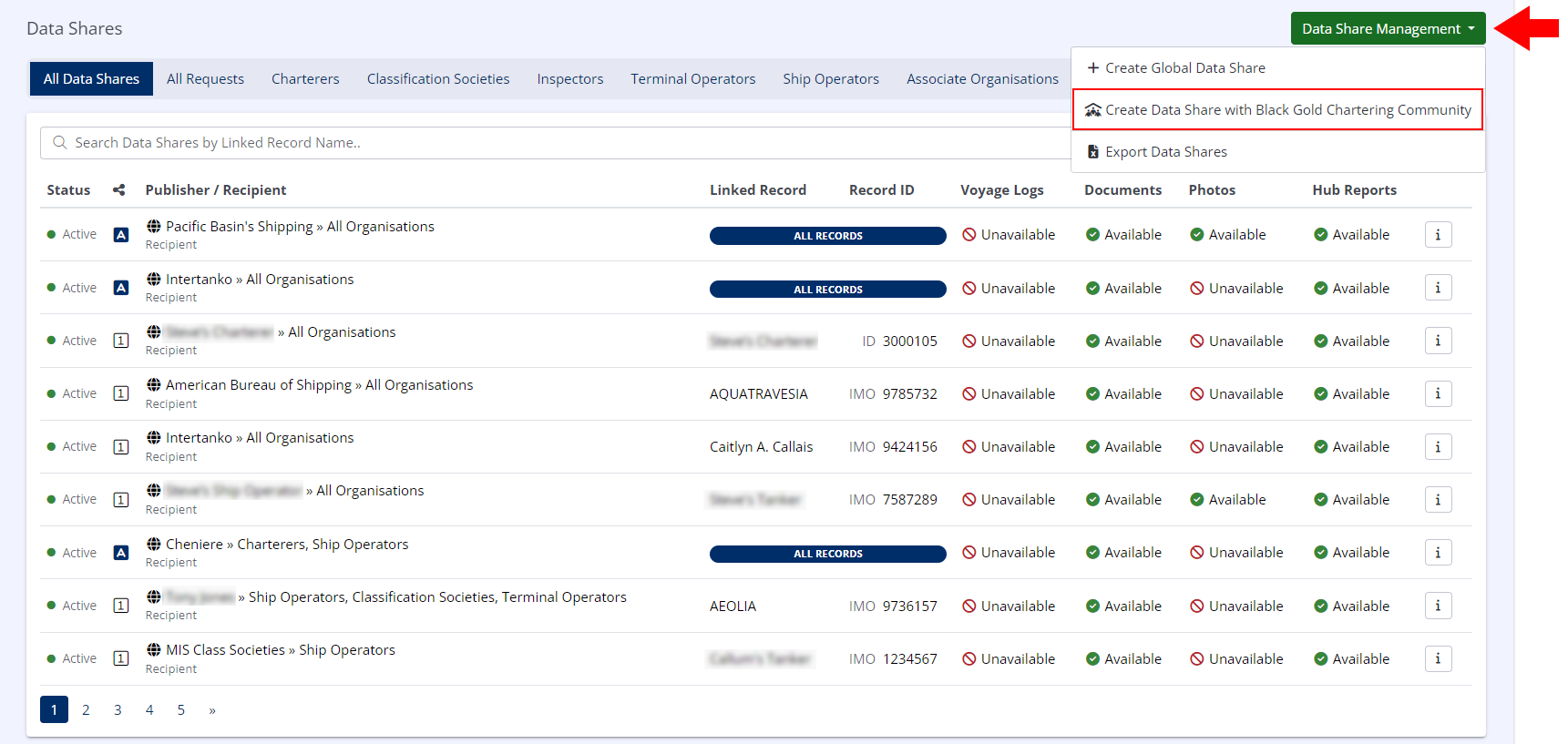
- In the left-hand menu under LINKED DATA, click on Data Shares.
- In the upper right, click Create Community Data Share
- In the drop-down list that appears, select the Community you wish to share data with.
Configure the Data Share
Info
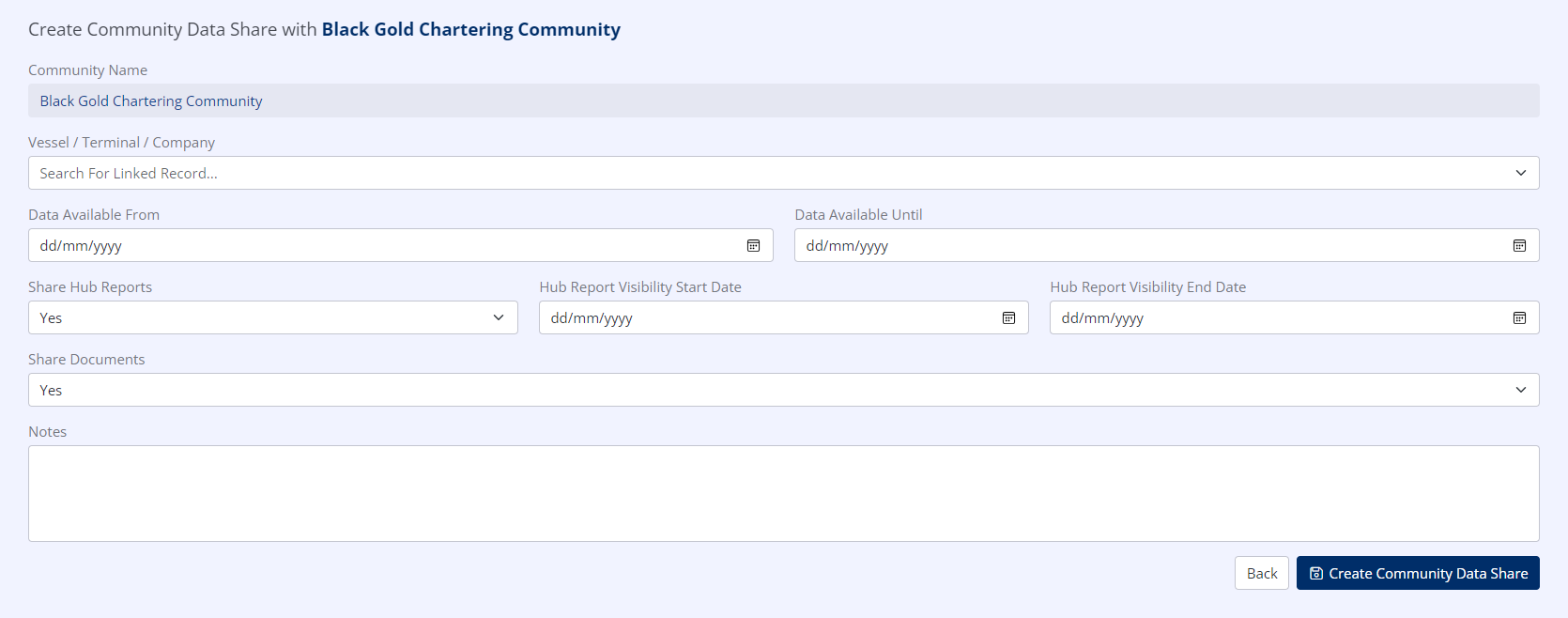
For a full explanation of these fields, see Configuring Data Shares
Community Data Shares are configured in the same way as generic Data Shares.
Create the Data Share
Click Create Community Data Share.
Info
The Community Data Share has now been created, and will become active as soon as the Data Available From date is reached.
